Database Outbound Channel
Description
A Database Outbound channel is an adapter for direct database access. It is used to execute SQL statements directly on a database and/or to create structured messages from database content.
Creation
To create a Database Outbound Channel follow the steps described in the general description of Channels
Step by Step
-
Database - Select the appropriate database connection. The database connection has to be created as environment entry database connection
-
Properties - Defines all variables that are passed to/returned from the channel.
-
Standard Mode / Preprocessor Mode - The preprocessor mode allows the replace text elements in the channel script before the script is executed. This may be necessary if you want to build or change SQL statements dynamically and it is not possible to used bound variables. Values used in the where statement of a select or update statement are typically set using variable references like :
(varname). But if you want to set other parts of the statement, e.g. you want to set column names dynamically you can use the preprocessor mode. These preprocessor variables are references like #varname# . Additionally the names of these variables must be added to the text field denoted with<enter a comma separated list of variables that should be preprocessed>. In the picture above showing of the configuration dialog you can see the usage of two preprocessor variables STARTVAL and ENDVAL. -
Orchestra SQL scripting language field - Text area for the Channel script. The Script must use a special language mixing SQL statement and java commands.
Scripting language
The built-in language for the SQL statements is a combination of Java statements and SQL statements.
The following control structures are supported.
If-Statement
if <java expression> then
  <statement>`
if intVal == 1 then
   System.out.println(intVal);
end
if <java expression> then
   <statements>
 else
    <statements>
  end
if sVal.equals("size") then
   System.out.println(sVal);
else
    System.out.println("unknown");
end
while-Statement
while ( <java expression> )
   <statements>
end
while ( intVal > 1 )
   System.out.println( intVal );
   intVal = intVal - 1;
end
call-Statement
You can use the SQL-Command "call" to execute stored procedures on a database.
| Syntax |
|---|
call <name of procedure> (parameters) |
Simple SQL-Statement
Apart from the standard Java expressions, SQL statements also act valid statements. It means that SQL commands are allowed to be integrated directly in the script code. The following statements are supported:
-
insert
-
update
-
delete
-
create
-
drop
| Example |
|---|
delete from table where field = 1; |
If parameter are to be passed to a SQL statement, within the statement parameters must be referenced using the notation ":(" <expression> ")" or "$"parametername or "$(" parametername ")"
The above example is extended using a parameter reference in the where condition:
| Example |
|---|
delete from table where field = $intVal; |
In addition to simple variables, whole expressions can also be passed as a parameter.
| Example |
|---|
delete from table where field = :( intVal + 1 ); |
Execute any kind of SQL-Statement
In addition to execute simple SQL-Statements its also possible to execute any kind of SQL-Statement using the command
<execsql>
. This feature is particularly useful to execute ddl statements.
| Example |
|---|
execsql SELECT * FROM table |
Creating messages from database content
Besides the modification of table contents, the channel also provides the possibility to read messages from a database. For this purpose, the following command is available:
<message variable> = "create" "message" <name> "in" [ "namespace" <namespace> ]
{
    select [ into <name>: ] <projection list> from <table(s)>;
}
MSG = create message "DEMO"
{
    select into PARENT: * from PARENT;
}
⚠️ All variables, like MSG, must be defined in the variables area of the channel editor.
As it was already demonstrated with the simple commands, parameters can also be passed to the select statements. In this way, it is possible to read out a data record exactly. The following example shows also how to set a default namespace for the generated message.
MSG = create message "DEMO" in namespace "urn:emds:db"
{
    select into PARENT: * from PARENT where ID = $EXT_ID;
}
In addition, the channel provides the possibility to read out hierarchical structure by nested Select - Statements. The following example demonstrates this possibility: Here, the given Select statement of the child will be run for each row of the parent. It is also demonstrated, that the name of the generated XML node can be omitted. In this case the table name is used as element name.
MSG = create message "DEMO" {
  select ID, NAME from PARENT
  {
    select CPOS, CDAT, AMOUNT from CHILD;
  }
If the selection of the child data records at a multilevel Select should be combined with the parent via a key, Orchestra provides the possibility of a join. This will be defined as shown in the following example: The argument of the JOIN-Operator is the name of a column of the Parent -Select:
MSG = create message "DEMO"{
  select into parentnode: ID, NAME from PARENT
  {
    select into childnode: CPOS, CDAT, AMOUNT from CHILD
    where P_ID = :Join(ID);
  }
For the statement „create message“, further variations exists.
-
create temporary message
Creates a message which is valid only within the current script run. After the run, the message will be discarded.
-
create external message
Creates a message whose records will be read from the database when it is accessed. That means that the message contents will remain completely in the external database. The data will be read from the database when the message is accessed (for example, in a Mapping).
Direct access by ResultSet
To read data directly from the database, the channel provides additionally the statement create resultset. This statement creates an object of the type java.sql.ResultSet. With this object type, all operations which are defined in the Java-class are possible.
With the method next, the script can iterate stepwise over the result set. The use of this statement is demonstrated as follows:
/* ***************************************************************
 * Load data from database.
 * <resultset variable> = "create" "resultset" <select statement>;
 * *************************************************************** */
cursor = create resultset select * from TEST;
/* ****************************************************************
 * Iterate over the resultset and print the content
 * ************************************************************** */
while( cursor.next() )
    System.out.println( cursor.getString( 1 ) );
    System.out.println( cursor.getString( 2 ) );
endcursor.close();
Note that the variable cursor must be defined in the variables area of the channel editor.
To guarantee a proper release of the resources, you must ensure that the ResultSetResultSet is closed with close (cursor.close()).
Code completion
The Database Outbound Channel editor supports Code completion, which assists users when writing scripts in the Script area. Code completion helps speed up configuration and reduce syntax errors by providing context-sensitive suggestions for valid scripting elements.
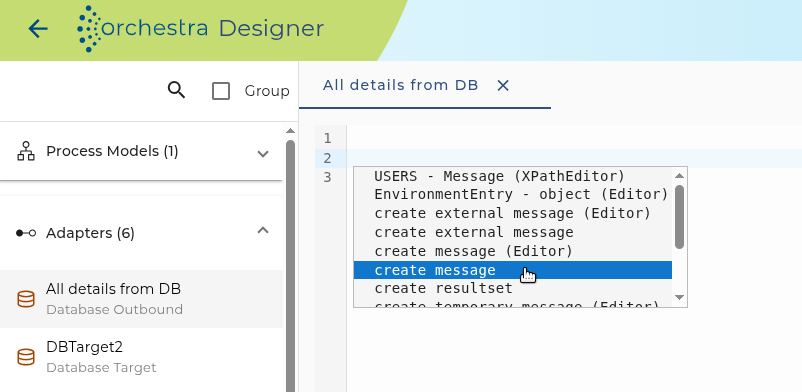
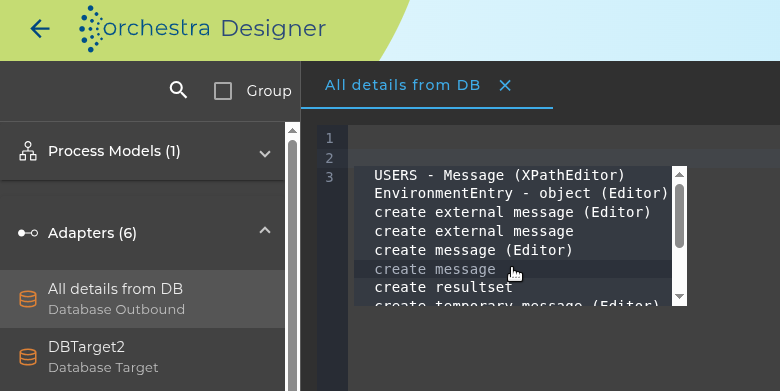
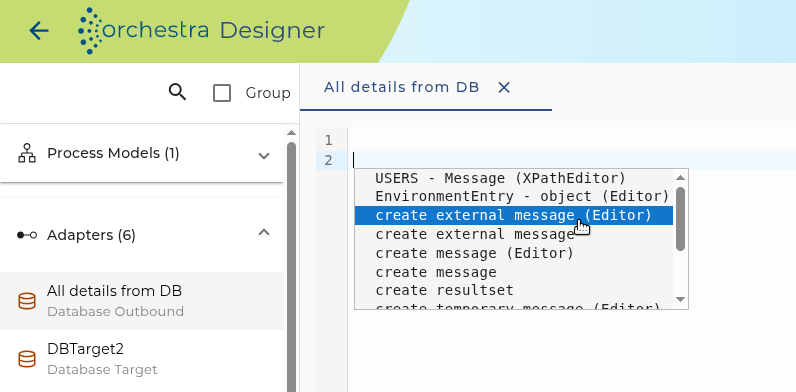
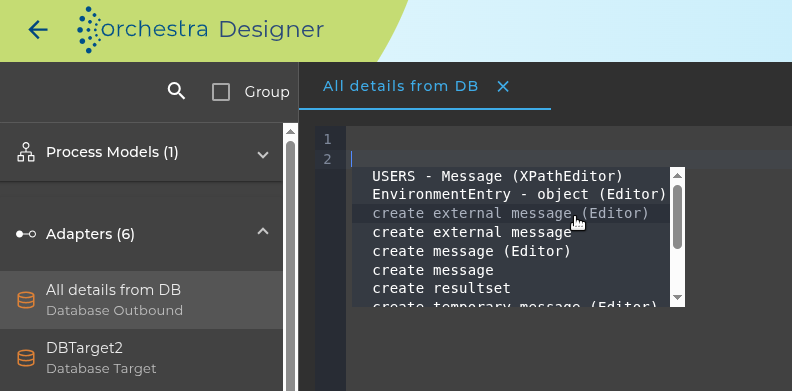
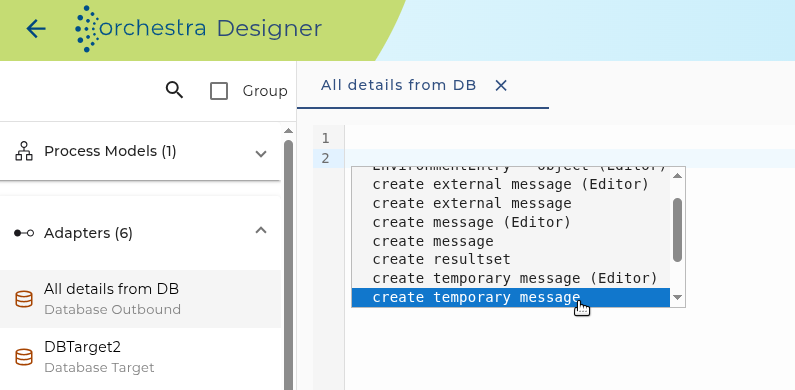
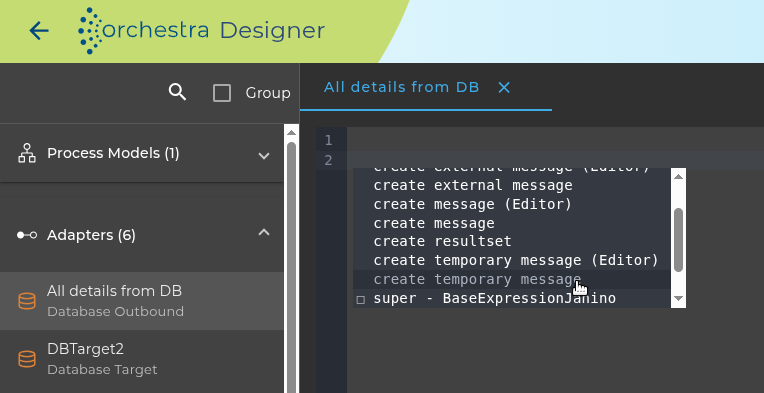
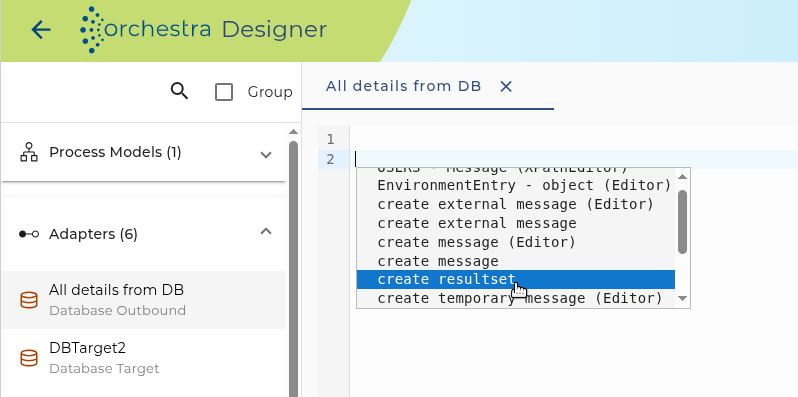
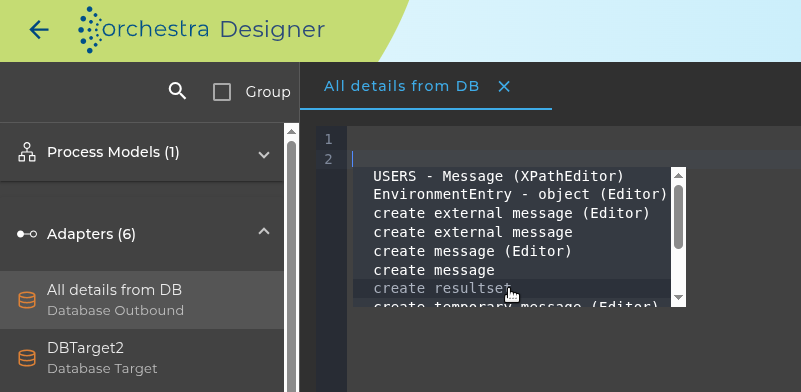
To trigger Code completion, press Ctrl + Space in an empty script line. Code completion displays available script templates such as the following:
-
create message
Inserts a command template to create a message.
-
create external message
Inserts a command to create an external message that selects existing database data.
This window will appear:
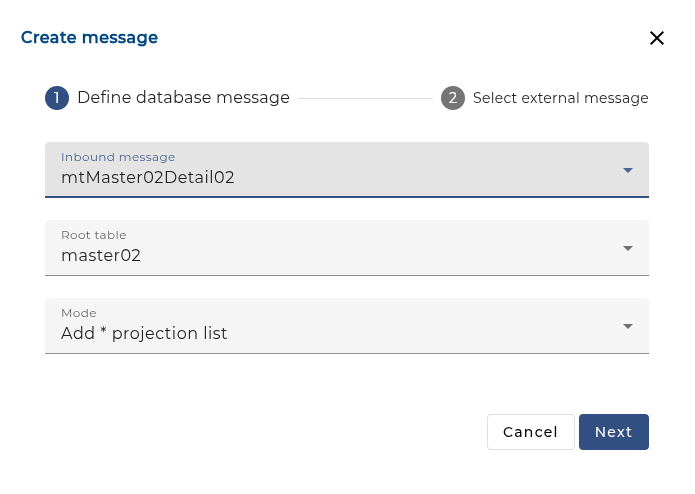
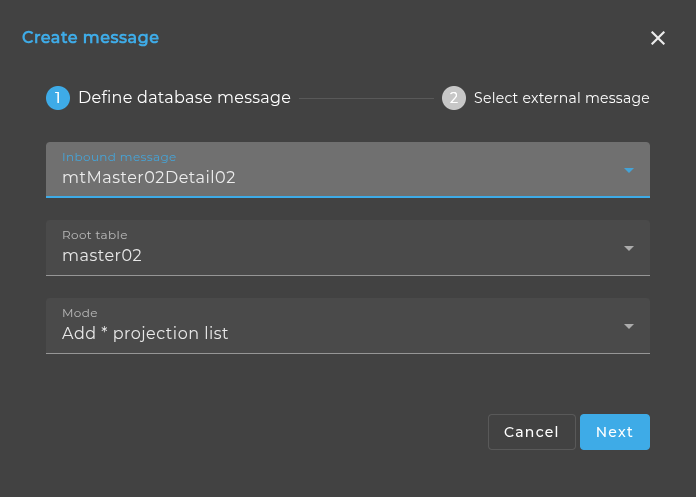
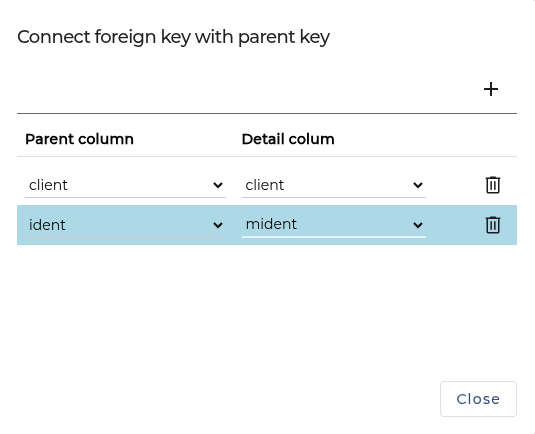
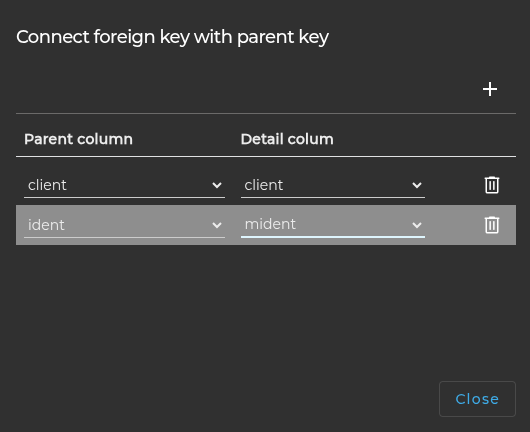
If you click the Next button a dialog appears showing the structure of the table hierarchy. At each child table you can see a key symbol. If you click on that symbol a dialog appears where you can assign the columns of the foreign key to its related columns of the parent key.
-
create temporary message
Inserts a command for creating a message that exists only during the current script run.
-
create resultset
Inserts a command for creating a Java ResultSet object to iterate through database records.
Direct database access using a resultset
All expressions and statements which can be used within the script are currently based on the language Java. As an alternative, XPath-Expressions can also be used for this.
To indicate an expression in XPath format, following writing style is used:
XPath( <XPath-expression> )
The following example will clarify the use of XPath-Expressions:
/* ************************************************************************
 * Load data from database. Store the data into the internal message
 * *********************************************************************** */
cursor = create resultset select id, name from PARENT;
/*************************************************************************
 * Iterate over the resultset and store the data to the table target
 *********************************************************************** */
while( cursor.next() )
    i = i + 1;
    name = cursor.getString("name");
    id = cursor.getInt("id");
    System.out.println( "id: " + i + " >>> " + id );
    System.out.println( "name: " + i + " >>> " + name );
    insert into target (ident, name) values ( :(id), :(name) );
end
cursor.close();
Note that the variables cursor, i, name and id must be defined in the variables area of the channel editor.
Using XPath to access the content of a message
Within the channel you also may use XPath expressions to access the content of a Message. To mark an expression as an XPath expression within the scripting language of the database outbound channel the syntax
XPath( <xpath expression> )
is used.
An example showing the use of XPath expressions is shown below.
First of all you must define the following variables in the variables area of the channel editor.
| VariableShape | Type | Description |
|---|---|---|
| MSG | Message | Input Message |
| currentNode | Node | Current node „PARENT“ |
| detailNode | Node | Current node „CHILD“ |
| valParent | String | Saves the value of the ID-Field. |
| detailValue | String | Saves the value of the ID-Field. |
In this example, a message will be traversed and individual element of the message will be displayed on the monitor.
/* ***********************************************************************
 * Iterate over the resultset and store the data to the table parent_child
 ******************************************************************** */
for ( currentNode in XPath( $MSG/PARENT )  )
    valParent = XPath( $currentNode/ID/text() );
    System.out.println( "[" + valParent + "]" );
    for( detailNode in XPath( $currentNode/CHILD ) )
        detailValue = XPath( $detailNode/ID/text() );
        System.out.println( valParent + "/" + detailValue );
        insert into parent_child( name, firstname)
                        values( :(valParent), :(detailValue ) );
    end
end
If this script is used on the following shown input message,
<DATA>
    <PARENT>
        <ID>PA1</ID>
        <CHILD>
            <ID>C1.1</ID>
        </CHILD>
        <CHILD>
            <ID>C2.1</ID>
        </CHILD>
    </PARENT>
    <PARENT>
        <ID>PA2</ID>
        <CHILD>
            <ID>C1.2</ID>
        </CHILD>
        <CHILD>
            <ID>C2.2</ID>
        </CHILD>
    </PARENT>
</DATA>
the following output will be created:
[PA1]
PA1/C1.1
[PA1]
PA1/C1.1
PA1/C2.1
[PA2]
PA2/C1.2
PA2/C2.2
This example demonstrated how to iterate over a node set. A nodeset is created by executing a XPath expression. The Syntax for an iteration loop is:
for ( <node-variable> "in" <nodeset> )
    <statement(s)>
end
for ( currentNode in XPath( $MSG/PARENT )  )
    valParent = XPath( $currentNode/ID/text() );
end
Inserting a Binary Large Object (BLOB)
Insert the HEX correspondence of the bytes:
insert into blob_test (blob_value) values(convert (varbinary (max), :(blobData), 1));
The variable blobData states
blobData = "0x" + HexConverter.bytesToHex((byte[]) bytes);
(HexConverter is a Java class that converts byte[] to Hex string)
A further option is to get a connection with the DatabaseAdapter and then pass on the bytes via preparedStatement.setBinaryStream.
Alternatively, see Inserting a BLOB through the Database Target Channel
Optimizing computation of nested elements
Assume we have the following fragment of a database script given
select into master:
    ident,name,value
    from master{
        select into child: ident,parent,name,value,flag
        from child
        where parent = :Join(ident);
}
Normally, orchestra submits for every master-record on select to fetch all the associated
child records. For small number of parent-records this behaviour is adequate. Otherwise
the performance decreases due to the enormous number of child records.
In order to solve this problem, a new optimizer hint "bnl" was introduced. When this flag
is set, orchestra uses a "block nested loop" strategy for fetching the child records.
To make this feature work the following preconditions must hold:
-
the master record has to be sorted by it's primary key
-
the child records must also be sorted by the foreign key. (This is done automatically by orchestra)
select into master: ident,name,valuefrom masterorder by ident <---- ordered by primary key{
    select [bnl(parent)] into child: ident,parent,name,value,flag from child
    where parent = :Join(ident);
}
Note: The join-conditions can only be of type "="
The second optimizer hint that can be used is "cache". This means the whole child table is
loaded into the memory of orchestra. The computation of the join-predicates
is computed internally. This mode is useful when a lot of master-records reference a
small set of child records. This is the case when lookup tables are used. Be careful with
this option since it can exhaust the internal memory
select into master: ident,name,valuefrom masterorder by ident <---- ordered by primary key{
    select [cache] into child: ident,parent,name,value,flag from child
    where parent = :Join(ident);
}
Testing the channel
You can test the Database Outbound Channel like every other outbound channel.
When the channel is configured the user can test its functionality by clicking on the test symbol in the tool bar of the Designer.
Then a dialog opens showing the events the channel receives or an error message.
See also
You also may use the channels Database BLOB Reader, Database Reader, Database Source Reader and Database Target to access a database resources.